Sign documents free, in minutes.
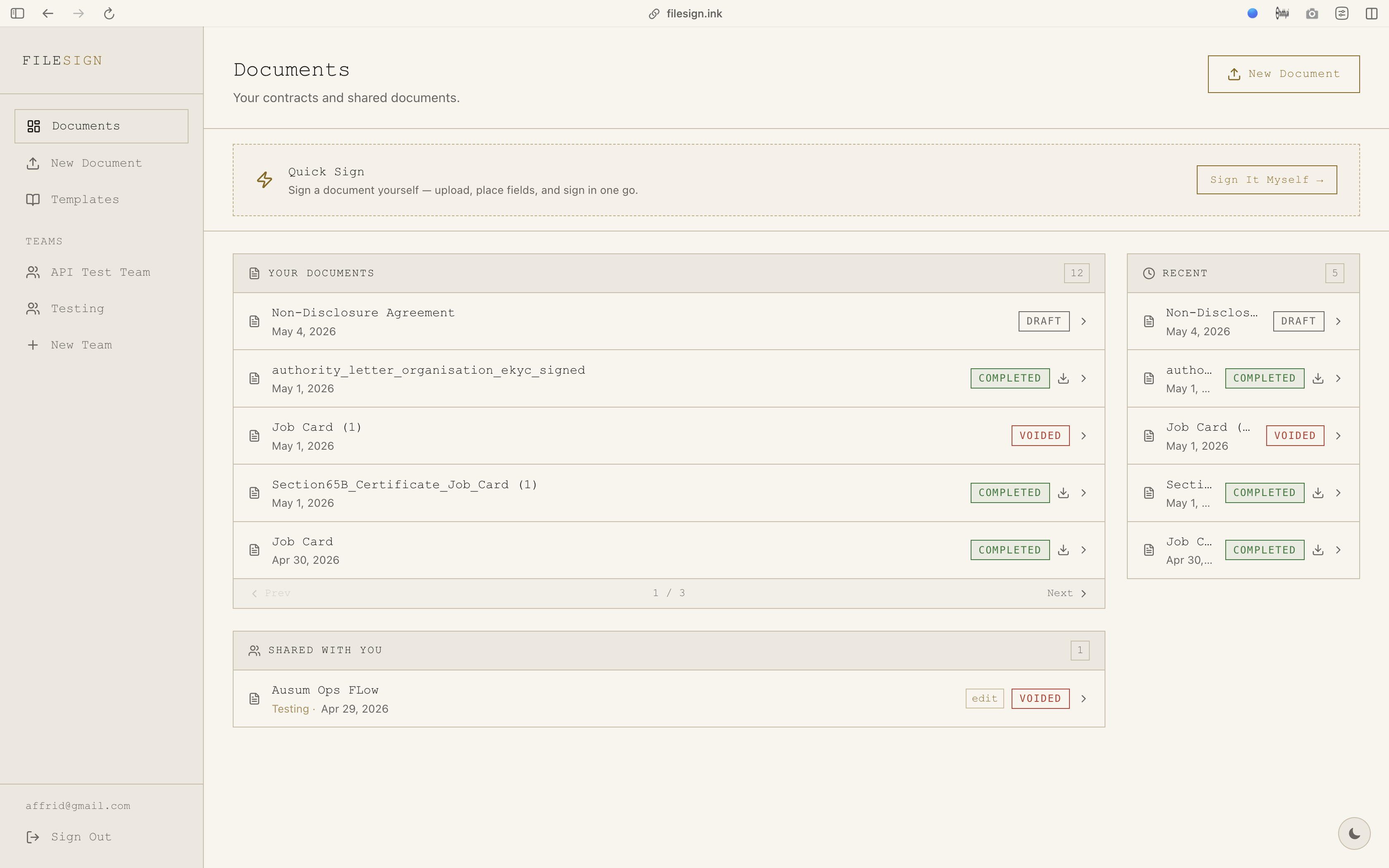
The simplest way to collect legally binding e-signatures. Send to anyone. They don’t need an account.
Built for the way people actually sign.
Free to send and sign
No subscription and no trial that ends. Create an account, upload a PDF and send it.
Signers need no account
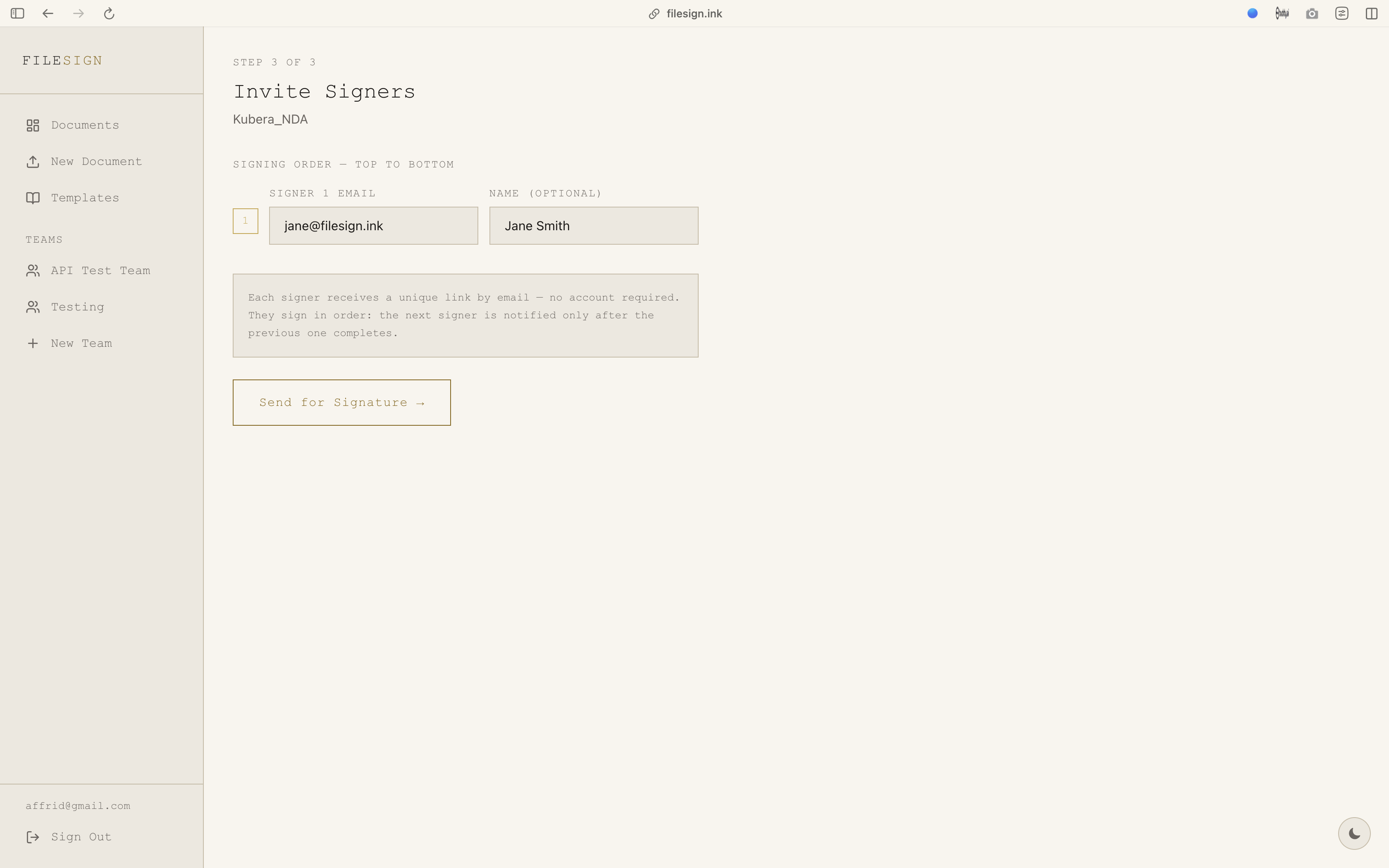
Invite anyone by email. They get a unique link, confirm with a one-time code and sign in the browser.
Four ways to sign
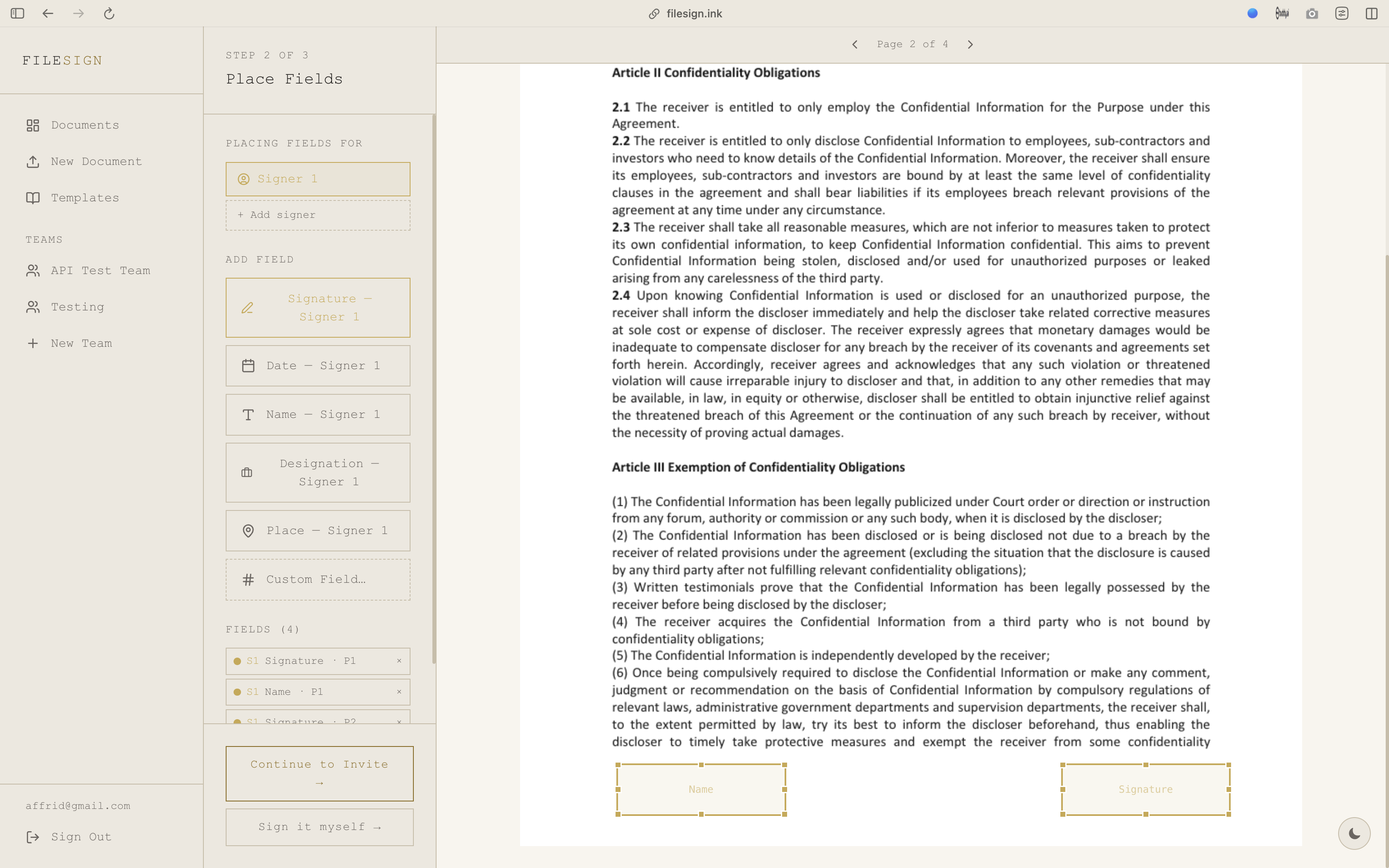
Draw with a trackpad or finger, wave your index finger at the webcam, use your phone as a touchpad, or photograph a paper signature.
Grounded in Indian law
Signatures follow the IT Act, 2000 and the DPDP Act, 2023. Each signer gives explicit consent, logged against the document.
A full audit trail
Timestamp, IP address and a SHA-256 hash of the file are recorded for every signature. Download the finished PDF any time.
Teams, templates and signing order
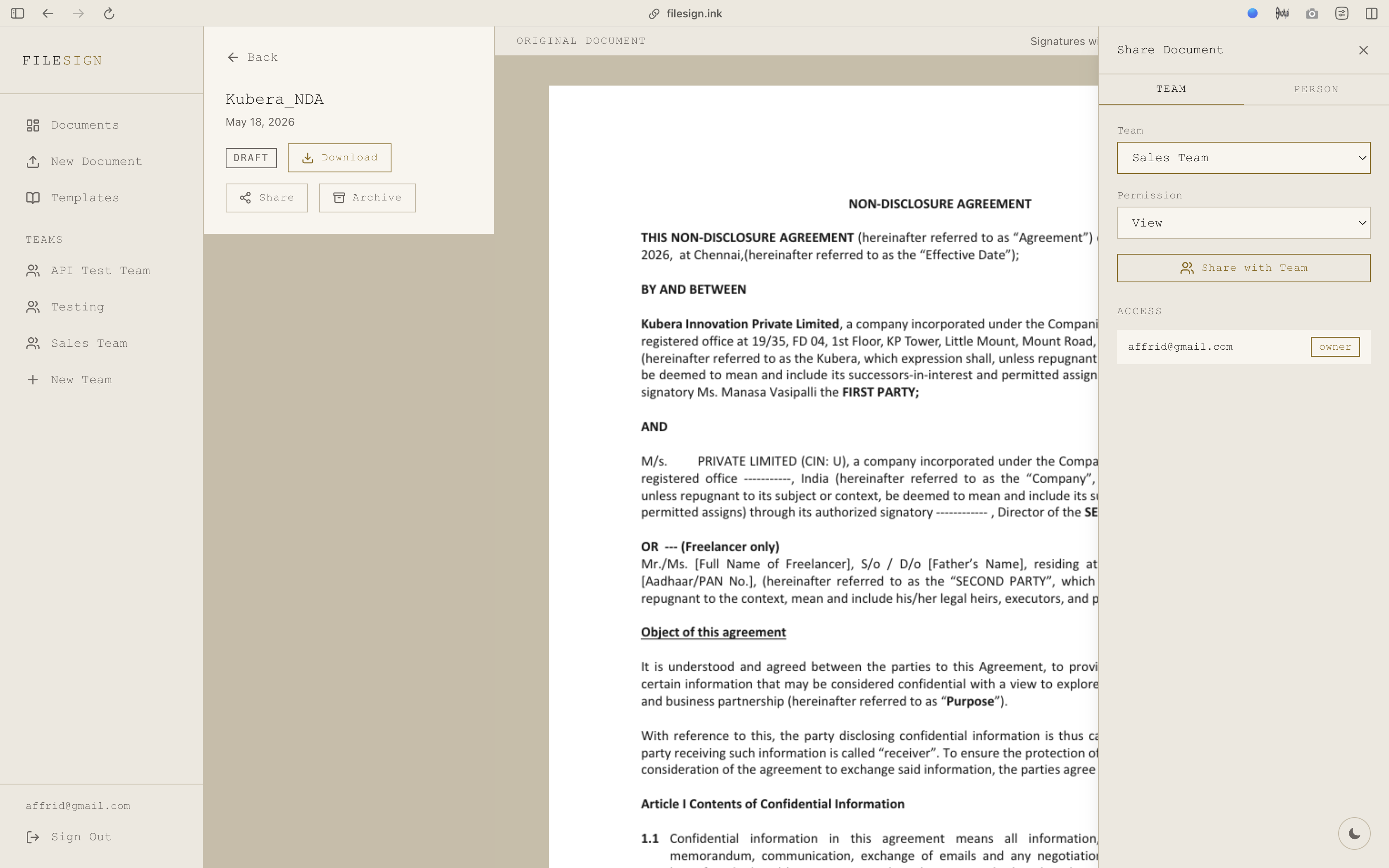
Workspaces with owner, admin, member and viewer roles. Save NDAs and contracts as templates. Choose who is notified, and when.
Ready to ditch the paperwork?
Upload a PDF and send it for signature in under a minute.